
How Lighthouse works
From the first idea.
To the people who
make it happen.
Explore completed projects and professional profiles, inspect product specifications, contact sellers, and organise products into requirements for quotations.
Find your starting point LIGHTHOUSEDiscover · Connect · Build
01 / Your place in the ecosystem
Different roles. Connected journeys.
Start with projects, people or products. Choose a role below to explore a route through Lighthouse.

Your work makes your expertise visible.
Bring your projects, skills and professional identity together so others can understand your approach.
- 1
Create your presence
Present your practice, specialisms and portfolio.
- 2
Tell the project story
Organise work by spaces and document relevant products used.
- 3
Explore products & partners
Discover specifications, brands and dealers for your next project.
- 4
Build relevant connections
Help homeowners and collaborators understand your work and start a conversation.
02 / One connected example

Photography: Vedant Sharma
A space. A practice.
Your next idea.
Begin with a real home. Discover the practice behind it. Then explore the possibilities for your own space.
Explore the home
See how craft, timber finishes and thoughtful storage shape everyday life.
Read the project storyMeet the practice
Get to know Red Grid Architects through Inchara, House of Ayra and their other work.
Explore the practiceShape your own ideas
Explore furniture and interior fit-out categories for the space you are planning.
Discover product categories03 / From products to quotations
Turn your shortlist
into a clear requirement.
Request a quotation for one product, or organise multiple products by project and phase. Review seller responses before deciding who to contact and proceed with.
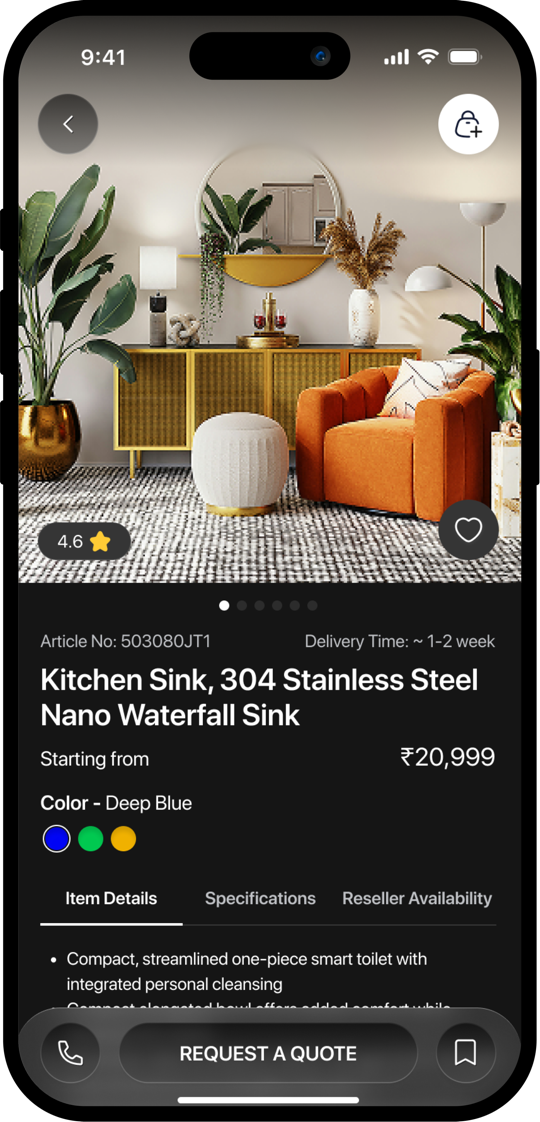
01Define what you need
+
Choose a product and variant, enter a quantity and add optional remarks. For a larger requirement, group items into a project and phases.
- Product & variant
- Quantity
- Optional remarks
- Project city
02Send the quotation request
+
Request a quote for one item, selected project items or an entire phase. The request goes to sellers serving the project city.
- Single product or grouped items
- City-based seller routing
- Status: Sent
03Review seller responses
+
Sellers respond with line-item prices, applicable taxes, delivery timelines and notes. Compare the responses against your requirement.
- Unit price
- Applicable taxes
- Delivery timeline
- Seller notes
04Choose a seller
+
Accept the quotation you want to proceed with, or reject a response. Discuss final specifications and fulfilment directly with the selected seller.
- Review responses
- Accept or reject
- Continue with the seller
Keep exploring
Find your starting point.
Discover a project, open Lighthouse, or ask the team for help.